
You may occasionally see a shipment displayed with an Error or Failed status in the 7bridges platform, even though the carrier's tracking page shows that the shipment has been collected and is moving through the network.
This can happen because tracking statuses are recorded in a predefined order. Within that tracking journey, an Error or Failed status is considered a later-stage update than In Transit. As a result, if an Error/Failed notification is received from the provider and recorded against a shipment, any subsequent In Transit updates from the carrier will not replace the status, to ensure customers are aware that something didn't go to plan (or a tracking step had an issue):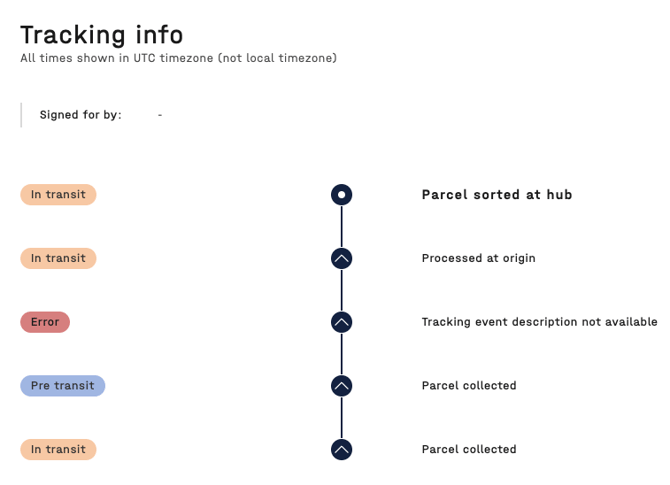
The Error or Failed status will remain visible until the platform receives a tracking update that represents a later stage in the shipment lifecycle, such as Delivered.
If the carrier's tracking information confirms that your shipment is delivered as expected but the status in 7bridges remains Error or Failed, please contact the support team.
🔎 If the tracking status has not been updated for a while, this can be manually refreshed; how to refresh tracking data for a shipment